Managing your entries
Review your entries, request a change, and pay anything still owing.
See everything you've entered under My Entries — from the top menu, or on each event's page.
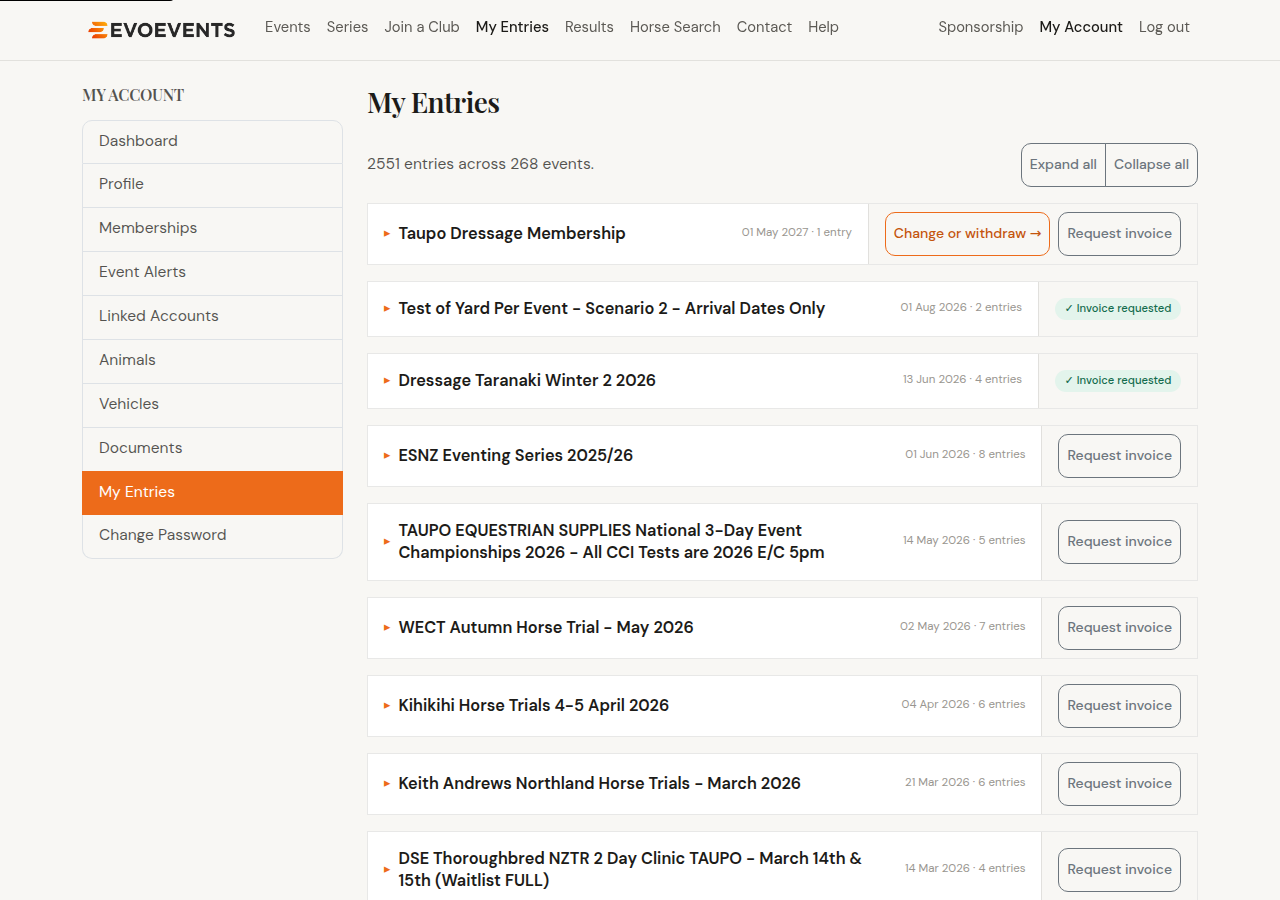
Reviewing your entries
Entries are grouped into a card per event, newest first. Select a card to expand it and see the rider, horse and class for each entry, along with your placing once results are published. Expand all and Collapse all are at the top.
Opening the event itself and using its My Entries tab gives you the same entries in a table you can sort by rider, horse or class — useful when you've entered a lot of classes.
Requesting a change or withdrawing
Entries are managed by the event organiser, so a change is a request sent to them, not an instant edit.
- Find the event and select Change or withdraw. That takes you to the event's My Entries tab.
- Select Change or withdraw beside the entry you mean.
- Fill in what you'd like changed — pick a different class from the list, type in a different horse or rider, change the Test of Choice (on dressage classes that use one), or tick Scratch to withdraw.
- Add a reason, and any extra information the organiser needs.
- If it applies to more than one entry, tick apply to all entries for this horse or for this rider.
- Select Send request.
The button only appears while the organiser is still accepting changes. Once they've closed them off, contact the organiser directly.
Paying an amount still owing
If an entry is awaiting payment, it appears on your My Account dashboard with a Pay now button. See Paying for your entry for the details.
Requesting an invoice
Need an invoice? Select Request invoice beside the event — it covers all your entries for that event, not just one class. The button changes to ✓ Invoice requested and the invoice is emailed to you, usually within 24 hours.
Still stuck? Contact us and we'll help.